


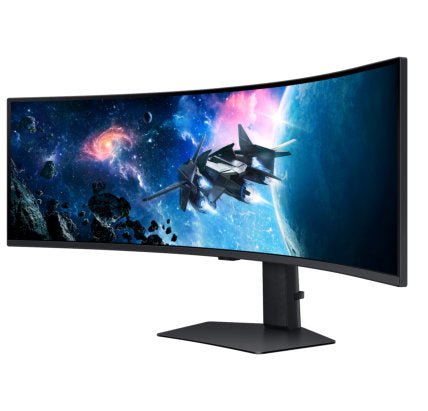
Key Features
Display Size : 49 INCH
Brightness: 450 cd/㎡
Resolution : DQHD (5,120 x 1,440)
Viewing Angle 178°(H)/178°(V)
Features
Epic Screen. Epic Play.

Top 3 Features

The absolute immersive experience
The 49" screen with 1000R curvature wraps around your field of view for truly engrossing gameplay in up to 32:9 aspect ratio.

World class performance
One misstep can be the difference between victory and defeat. With a 240Hz refresh rate, 1ms response time(GtG) and FreeSync Premium Pro, prepare to win.

Elevate your setup
Take your gaming setup to the next level with new Arena Lighting, ergonomic HAS stand and Hexa plate stand.
Wrap yourself in adventure
1000R curved screen with Dual QHD resolutionExperience the next level of heart-pounding gaming with vivid scenes wrapping tightly around your view. The 1000R 49-inch super ultra-wide display with Dual QHD resolution fills your peripheral vision and draws you into the character's shoes.

Catch the detail, defeat your enemies
VESA Display HDR 1000
See every detail in all its glory. From gloomy shadows to sun-scorched scenes, 1,000 nit peak brightness and 1,000,000:1 contrast ratio enable enhanced color expression and depth. Get a competitive edge by spotting enemies trying to hide in dark corners.

Rapid 240Hz Refresh Rate and Lightning Fast 1ms Response Time(GtG)
240Hz & 1ms(GtG)Conquer every enemy with extreme speed. A 240Hz refresh rate eliminates lag for ultra-smooth action. Game with precision with a 1ms response time(GtG) and blur-free frames, with minimized ghosting.
* "1 ms" means one milliseconds which is the range of avg. response time between 1.00ms to 1.99ms truncated to whole number.** Based on GtG measured under internal test conditions. Results may vary by content and monitor settings (requires ‘Extreme mode' setting).
*** GtG (Gray to Gray) measures the time taken for a monitor pixel to change from one gray value to another.

Immerse yourself in smooth action without disruption
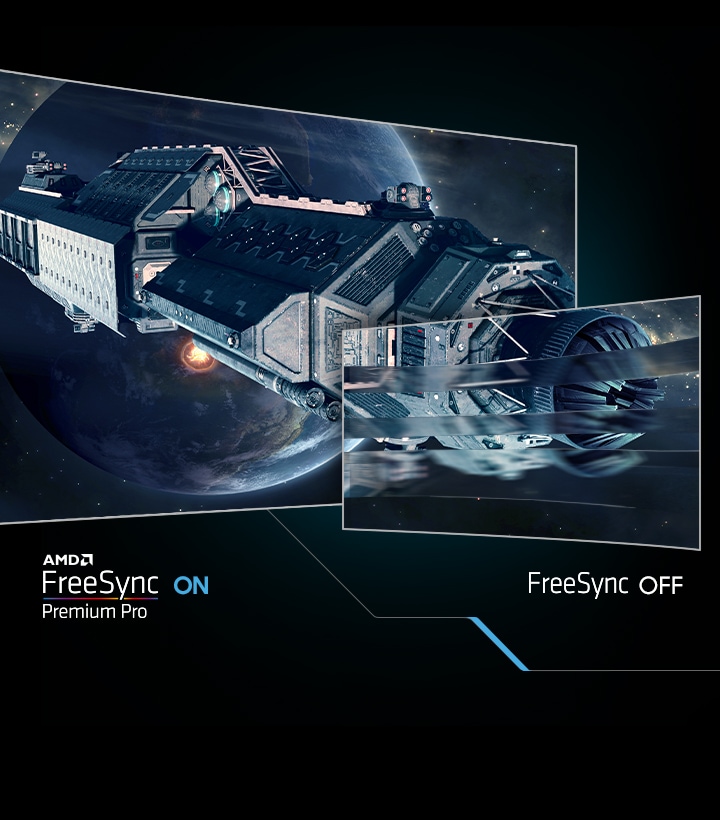
AMD FreeSync Premium Pro
Hyper fast action made seamless. Complex and fast-moving game scenes are projected smoothly and stutter-free with AMD FreeSync Premium Pro to power your competitive edge.
* Image simulated for illustrative purposes.
** AMD FreeSync Premium Pro is supported by Radeon Rx 200 graphic cards and subsequent models.
Your station your way

Make the most of every moment
Picture-by-Picture
Game, watch, chat—all at the same time. With PBP, view video from two sources simultaneously in their native resolution. Use PIP to resize the second source to up to 25% of the screen.

Make the most of every moment
Picture-in-Picture
Game, watch, chat—all at the same time. With PBP, view video, picture or data from two sources simultaneously in their native resolution. Use PIP to resize the second source to up to 25% of the screen.
Play on in eye comfort

Keep it easy on the eyes
Eye Saver Mode & Less Screen Flickering
Care for your eyes and stay comfortable, even during long sessions. Advanced eye comfort technology certified by TÜV reduces eye strain by minimizing blue light and reducing irritating screen flicker.

Optimal brightness, optimum enjoyment
Adaptive Picture
Sensational picture, day or night. Surrounding light is detected by a sensor to adjust brightness automatically with Adaptive Picture. Even in broad daylight, watch dark, gritty dramas without squinting and straining your eyes to see the picture.

Designed to magnify your immersion
Core Sync & Core Lighting+
Enhance the space around your screen. With CoreSync technology, a game's on-screen colors are projected into your real world to further immerse you into the setting. With new Core Lighting+, add amazing color to your setup for an instant vibe shift.

Extend winning streaks in comfort
Ergonomic Stand
Find your winning position. Swivel, tilt, and adjust the height until you're set up for victory. With Hexa stand and fully compatible VESA-standard monitor arms, the screen can be moved effortlessly to your ideal position.